Repeated questions are useful feedback. They often reveal that an answer is missing, unclear or in the wrong place. The aim is to make routine information easier to find while keeping help available when guests need it.
In this guide
Keep a simple questions log
For each avoidable enquiry, record the topic, when it arrived and what was missing or unclear. After a guide change, compare the number of questions per completed stay over similar periods. For example, 12 parking questions across 20 stays is 0.6 per stay; six across 20 is 0.3. These are illustrative figures, not Welcomly results. Watch for other changes such as guest mix or new parking arrangements before drawing conclusions.
Why guests keep asking the same questions
Most repeat questions are not caused by difficult guests. They usually happen because information is scattered across booking messages, printed folders, house labels, text messages and platform inboxes. A guest may have received your check-in instructions a week ago, but when they are standing outside the property in the rain, they need the answer immediately.
This is especially common for:
- Airbnb hosts managing guest messages through the Airbnb inbox.
- Holiday let owners who take bookings from several platforms.
- Cottage owners, including those who receive bookings through Sykes or other cottage booking companies.
- Serviced accommodation providers with business travellers arriving late.
- Small property managers looking after several properties with different parking, access and appliance details.
The more places you advertise, the more important it becomes to have one reliable source of guest information that works across booking platforms.
The practical fix: one mobile-first digital guest guide
A digital guest guide gives guests a single place to find the information they need. Instead of relying on a long message thread or a printed welcome folder, you can create a guide that is designed for phone use and shared by QR code or link.
For guests, the experience is simple: open the link, browse the sections, tap the information they need. Welcomly is a mobile-first digital guest guide that feels app-like without requiring a download. Guests do not need to create an account or log in, which removes a common point of friction.
For hosts, the commercial benefit is straightforward. If your guide answers the questions guests ask most often, you spend less time repeating yourself and more time improving the parts of your accommodation business that actually need your attention.
Start with the questions guests ask every week
The best digital guidebook is not built around what looks impressive. It is built around what guests actually need. Before creating your guide, look at your last 10 to 20 guest conversations and write down the repeated questions.
You will usually find patterns such as:
- Where is the property and what is the best arrival route?
- Where can guests park?
- What is the lockbox code or access process?
- What is the WiFi network and password?
- How do guests use the heating, hot tub, oven or coffee machine?
- What are the house rules?
- Where should rubbish and recycling go?
- What time is checkout and what should guests do before leaving?
- Which local places are worth visiting?
Those questions become the backbone of your guest welcome book. If a section does not help guests act, decide or relax, it probably does not need to be at the top of the guide.
Build your guide around the guest journey
A useful holiday let digital guidebook should match the order in which guests need information. That keeps it simple and prevents guests from digging through irrelevant content at the wrong moment.
Before arrival
Before arrival, guests want reassurance. They need to know where they are going, how they will get in and whether there is anything they should prepare. Include arrival directions, parking information, check-in instructions, access details and host contact options.
If you want a practical structure for this stage, use Welcomly help content on how to add check-in, parking and access details. This is often the highest-impact section because arrival confusion can quickly become a poor first impression.
During the stay
Once guests are inside, they usually need WiFi details, appliance instructions, house rules and local recommendations. Keep each section concise. Guests do not want a PDF-style manual on a phone; they want fast answers.
For private details such as WiFi information, lockbox codes and access information, Welcomly allows PIN-protected guest information. This is useful when you want guests to have easy access without placing sensitive details in an open public page. You can learn more about how to add WiFi and PIN-protected information.
Before checkout
Checkout is where many hosts lose time to repeated messages. Make checkout details clear and easy to find. Include the checkout time, where to leave keys, what to do with rubbish, whether beds should be stripped, where to place used towels and how guests can leave a review or book again.
This is particularly helpful for owners with multiple cottages or serviced apartments, where each property may have slightly different checkout requirements.
Use QR codes inside the property
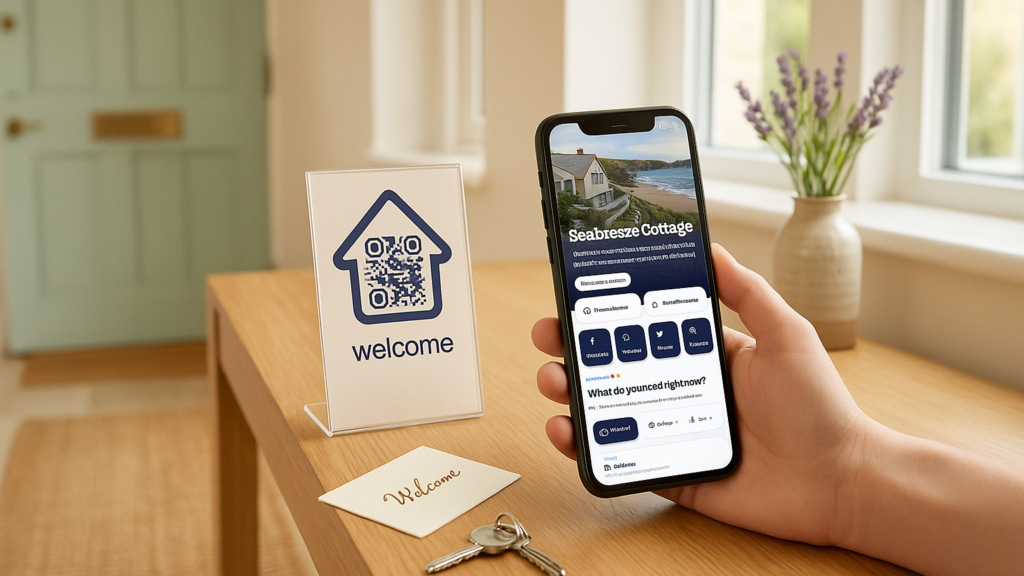
A QR code guest guide works well because guests can access information at the moment they need it. Place the QR code where it naturally fits into the stay, such as near the entrance, on a kitchen counter, beside a printed welcome card or in a guest information area.
With Welcomly, you can share by QR code or link. That means you can send the guide before arrival and also display it inside the property. If you use printed QR code display options such as an A5 laminated QR display or an A6 acrylic QR stand with a printed card insert, the guide becomes part of your welcome experience rather than another message guests have to search for.
For placement ideas, read the guide to the best places to display your QR code.
Send the guide link before guests arrive
Do not wait until guests are inside the property to introduce the guide. Send the link in your pre-arrival message, ideally alongside a short explanation of what it includes.
For example:
Here is our digital guest guide for your stay. It includes arrival details, parking, WiFi, house information, local recommendations and checkout details. You can open it on your phone with no download or guest login needed.
This works across booking platforms because the guide is shared by link. Whether the booking comes through Airbnb, Booking.com, Vrbo, a direct booking website or a cottage booking company, your core guest information can stay consistent.
If you need a practical walkthrough, see how to share your guide with guests.
Keep local recommendations useful, not generic
Local recommendations are often the difference between a basic guide and a genuinely helpful digital welcome book. UK guests do not need a long list of obvious attractions copied from a tourism website. They need host-level recommendations that make their stay easier.
Include details such as:
- The best nearby pub for Sunday lunch.
- Where to buy groceries after 8pm.
- Dog-friendly beaches, parks or walking routes.
- Reliable taxi companies.
- Family-friendly rainy day options.
- EV charging points nearby, if relevant.
- Local cafés, farm shops or independent restaurants you genuinely recommend.
This is where independent hosts can stand out. A thoughtful local section helps guests enjoy the area without messaging you for every suggestion.
Make the guide easy to update
Printed welcome folders become outdated quickly. WiFi details change, restaurants close, bins move, parking rules alter and appliance instructions get replaced. When the guide is digital, you can update information after publishing rather than reprinting pages.
This matters for UK holiday let owners who operate seasonally. Your winter heating notes, summer garden instructions, Christmas bin collection details or festival weekend parking advice can be updated when needed.
With Welcomly, hosts can create, edit, preview, publish and manage guest guides through the owner portal. You can build and preview before publishing, so you are not forced to activate a guide before seeing how it looks for guests.
What to include in your first digital guest guidebook
If you want to get your first guide live quickly, focus on the sections that reduce repeat questions first. You can add more polish later.
- Welcome: A short friendly introduction and what the guide contains.
- Check-in: Arrival time, directions, parking, access details and lockbox instructions if applicable.
- WiFi: Network name, password and any connection notes.
- House rules: Quiet hours, pets, smoking, parties, visitors and safety reminders.
- Appliances: Heating, hot water, oven, hob, dishwasher, washing machine, TV and coffee machine.
- Local recommendations: Food, drink, shops, transport, walks and emergency essentials.
- Checkout: Checkout time, keys, rubbish, towels, heating and review or book-again details.
- Contact: The best way to reach you during the stay.
If you are an Airbnb host, you may also find this Airbnb digital guidebook template useful as a starting point. Even if you also take direct bookings or cottage bookings, the structure can be adapted for most short-stay accommodation.
When a digital guest guide is worth it
A digital guidebook is most valuable when guest communication is starting to take time away from running the business. If you manage one cottage and receive only occasional questions, a simple guide may still improve the guest experience. If you manage several properties, the time-saving potential becomes more obvious.
It is especially worth considering if:
- You answer the same guest questions every week.
- You use more than one booking platform.
- Your printed welcome folder is out of date.
- Guests regularly arrive outside normal hours.
- Your property has detailed parking, access or appliance instructions.
- You want a more professional welcome experience without creating more admin.
If you want to see the guest experience and owner portal before creating your own guide, you can view the digital guidebook demo.
FAQs
Will a digital guidebook stop all guest questions?
No. Some guests will still message you, and some questions will be specific to their stay. The goal is to reduce repeat guest questions by making the most common answers easy to find in one place.
Do guests need to download anything?
No. A Welcomly guide can be opened by QR code or link, with no download needed and no guest login needed. It is designed to feel app-like on a phone without requiring guests to install anything.
Can I use one guide for Airbnb, direct bookings and cottage bookings?
Yes, a digital guidebook can work across booking platforms because it is shared by link or QR code. You can send it through Airbnb messages, direct booking emails, guest texts or other guest communication channels where links are allowed.
Should WiFi and lockbox codes be included?
You can include them, but sensitive details should be handled carefully. Welcomly supports PIN-protected guest information for details such as WiFi, lockbox codes and access details, giving hosts more control over private information.
Can I update the guide after publishing?
Yes. One of the main advantages of a digital welcome book is that it is easy to update. If parking details, WiFi passwords, local recommendations or checkout instructions change, you can edit the guide rather than reprinting a folder.
Ready to reduce repeat guest questions?
If your guest messages are full of the same questions, a clear digital guest guidebook is one of the most practical improvements you can make. Start with the information guests ask for most, organise it around the stay and share it before arrival and inside the property by QR code.
Welcomly helps Airbnb hosts, holiday let owners, cottage owners and small property managers create a mobile-first digital guest guide that is easy for guests to open and easy for hosts to update. Create Your Guide, View Demo or See How It Works when you are ready to give guests a smoother stay.
Quick win: most repeat questions start with the Wi-Fi. Use our free Wi-Fi QR code generator to print a scan-to-connect card, then see how cottage owners answer the rest in our guide to digital welcome books for holiday cottages.
Put this into practice in minutes.
Free to build. 30 days free when you publish. £4.99 a month after that.