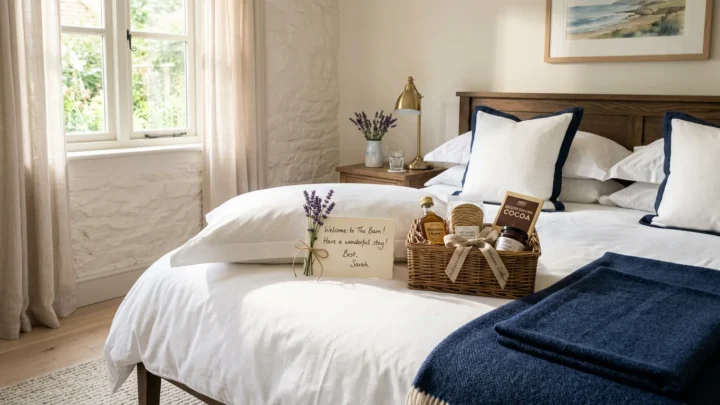

Copy this structure into your own welcome-book planning. Replace every placeholder with verified information about your property. Start with the essential cards, then add useful extras.
In this guide
Copy-and-edit welcome-book template
Download the free guest-guide template (plain text). It includes arrival, parking, access, Wi-Fi, house information, local recommendations and checkout prompts. Copy it into your preferred editor, replace every bracketed field and remove sections that do not apply. Keep real access codes out of any publicly shared template.
What an Airbnb digital guidebook template should actually do
A template is not just a design. It is a repeatable layout for guest communication. If you manage one flat, it helps you stop rewriting the same information. If you manage several properties, it gives you a consistent standard across every stay.
The best templates do three jobs well. They answer common guest questions before they are asked, they reduce friction at key moments like check-in and checkout, and they make the property feel more professionally managed. That last point matters more than many hosts realise. Guests notice when information is clear, current and easy to access.
That does not mean your guidebook needs to be packed with every possible detail. In fact, too much information can be as unhelpful as too little. Guests rarely want a long manual. They want fast answers, clear instructions and local tips that feel genuinely useful.
The sections every host should include
An effective Airbnb digital guidebook template usually follows the guest journey. That keeps it intuitive. Guests are not thinking in terms of categories like host operations or property administration. They are thinking, how do I get in, where do I park, what is the Wi-Fi, how do I use this appliance, what time do I leave?
Start with the essentials for arrival. Check-in instructions should be prominent and written in plain language. If there is a lockbox, keypad or shared entrance, explain it clearly and avoid vague wording. Parking should sit close to check-in details, especially if guests need to avoid certain bays, display a permit or use an alternative entrance.
Next comes the stay information guests ask for most. Wi-Fi, heating, hot water, television, bins, appliance instructions and house rules should all be easy to find. This is where many printed guides fail because they become cluttered. A digital format lets you keep each topic separate, so guests can jump straight to what they need.
Then include the end-of-stay details. Checkout time, key return instructions, used towels, rubbish, lights, heating and locking up are the usual basics. Be realistic here. If your checkout list is too long, guests may ignore parts of it. Focus on what actually matters for your turnover and housekeeping process.
Finally, local recommendations add value when they are specific. Generic tourist suggestions are forgettable. A short list of your favourite breakfast spot, a reliable taxi number, the nearest convenience shop and a good walk nearby is far more useful than a long directory.
A practical Airbnb digital guidebook template structure
If you are building from scratch, this is the simplest way to structure it.
Welcome and quick start
Open with a short welcome, the property name and the most urgent links or sections. This is not the place for a long host letter. Keep it brief and useful.
Check-in and access
Add arrival directions, parking, entry instructions, gate codes if needed and anything guests need before they step inside. Sensitive access details may need controlled visibility, depending on how you share the guide.
Property essentials
This should cover Wi-Fi, heating, hot water, kitchen basics, TV instructions, appliance use and any quirks of the property that could otherwise lead to messages.
House rules and safety
Include smoking rules, noise expectations, pet guidance if relevant, emergency contacts, fuse box details and what to do if something stops working.
Local area
Recommend food, shops, transport, attractions and practical nearby services. Keep this curated. Better five good suggestions than twenty average ones.
Checkout
End with a simple departure checklist and any final reminders.
That basic structure works because it mirrors the stay itself. Guests can scan it quickly, and hosts can maintain it without turning it into a document nobody updates.
What makes a template work in real properties
The strongest guidebooks are written for actual guest behaviour, not ideal guest behaviour. Guests arrive late, skim instructions, forget details and search on their mobiles while standing at the front door. Your template needs to work under those conditions.
Clarity matters more than personality in the key sections. You can still sound welcoming, but access instructions should be precise. If the entrance is behind a side gate next to a blue bin, say that. If the hot water takes two minutes to warm up, mention it. Small details prevent avoidable frustration.
Formatting matters too. Dense blocks of text make guests give up. Short sections, clear labels and mobile-friendly layouts work better because that is how most guests will read the information.
It is also worth separating fixed information from property-specific details. If you manage multiple listings, your house style, checkout format and local recommendations process can stay consistent, while Wi-Fi passwords, parking details and appliance instructions change by property. That saves time and cuts down on mistakes.
Common mistakes hosts make with digital guidebooks
The first is treating the guidebook like a brochure. Guests are not looking for marketing copy once they have booked. They want practical information. A polished tone helps, but usefulness comes first.
The second is burying the essentials under too much content. Local recommendations are nice, but not before the lockbox instructions. Prioritise by urgency.
The third is forgetting to maintain it. A digital format is easier to update than a printed folder, but only if you actually update it. Change the Wi-Fi password, add the new parking note, remove the restaurant that has closed. The value of a guidebook comes from accuracy.
Another common issue is relying on a format that creates friction. If guests need to download an app, create an account or search through old messages to find the link, usage drops. The easier it is to access, the more it will reduce guest questions.
Template or fully custom guidebook?
For most hosts, a template is the right starting point. It gets the structure right quickly and stops the blank-page problem. You can still tailor the tone, recommendations and property details without rebuilding the layout every time.
A fully custom guidebook makes more sense if you run a high-end brand with very specific presentation needs, or if each property is unusually different. Even then, the underlying guest flow stays much the same. Arrival, stay, local area, departure. The structure rarely needs reinventing.
This is where a purpose-built tool helps. A platform like Welcomly keeps the guidebook mobile-first, easy to update and simple for guests to open by QR code or direct link, without adding extra steps at arrival.
How to choose the right format for your guests
It depends on your property type and how guests interact with it. A city-centre serviced flat may need sharper access instructions, transport details and parking clarification. A rural cottage may need stronger sections on heating, hot tub use, waste collection and nearby shops because guests cannot solve problems as easily once they arrive.
Guest type matters as well. Business travellers want speed and clarity. Family holiday guests often need more practical local tips. Longer stays benefit from more appliance guidance and area information, while one-night stays need a very lean version that gets straight to the essentials.
The right template is the one guests can use in seconds. Not the one with the most pages.
Build it once, improve it every stay
A good Airbnb digital guidebook template is never really finished. The first version gives you structure. The best version comes from pattern spotting. Every time a guest asks a question, leaves confused feedback or misses part of checkout, your guidebook is showing you what needs tightening.
That is the real advantage of going digital. You do not need to reprint anything, rewrite long message threads or tape another note to the fridge. You make the information clearer, publish the update, and the next guest gets a better experience.
If your current setup depends on repeated messages and a folder nobody reads, the fix is usually not more information. It is better organisation. Give guests one place to find what they need, and the whole stay runs more smoothly for everyone.
Pair this template with a printable Wi-Fi card from our free Wi-Fi QR code generator.
Put this into practice in minutes.
Free to build. 30 days free when you publish. £4.99 a month after that.